In short
Small businesses get most enquiries on WhatsApp, but every message lands on the owner's personal phone. Replies are slow after hours, bookings get lost in chat scroll, and nobody can see what was said.
Give the agent its own WhatsApp Business number through the official Cloud API. Claude Code writes the integration, a webhook receives customer messages, and the agent replies, checks the calendar and books - while the owner's phone stays out of it.
Think about how your customers actually contact you. A lot of them do not fill in a form or send an email. They open WhatsApp and type "Do you have anything Friday?"
If that message lands on your personal phone at 9 pm, you either answer and lose your evening, or you answer tomorrow and lose the booking.
There is a cleaner setup: give the AI agent its own WhatsApp number. It answers, checks the calendar and books the appointment on that number, and your phone stays out of it entirely. This guide walks through how it works, step by step, and what to watch out for.
What you end up with#
Here is the result, so you know what you are building towards.
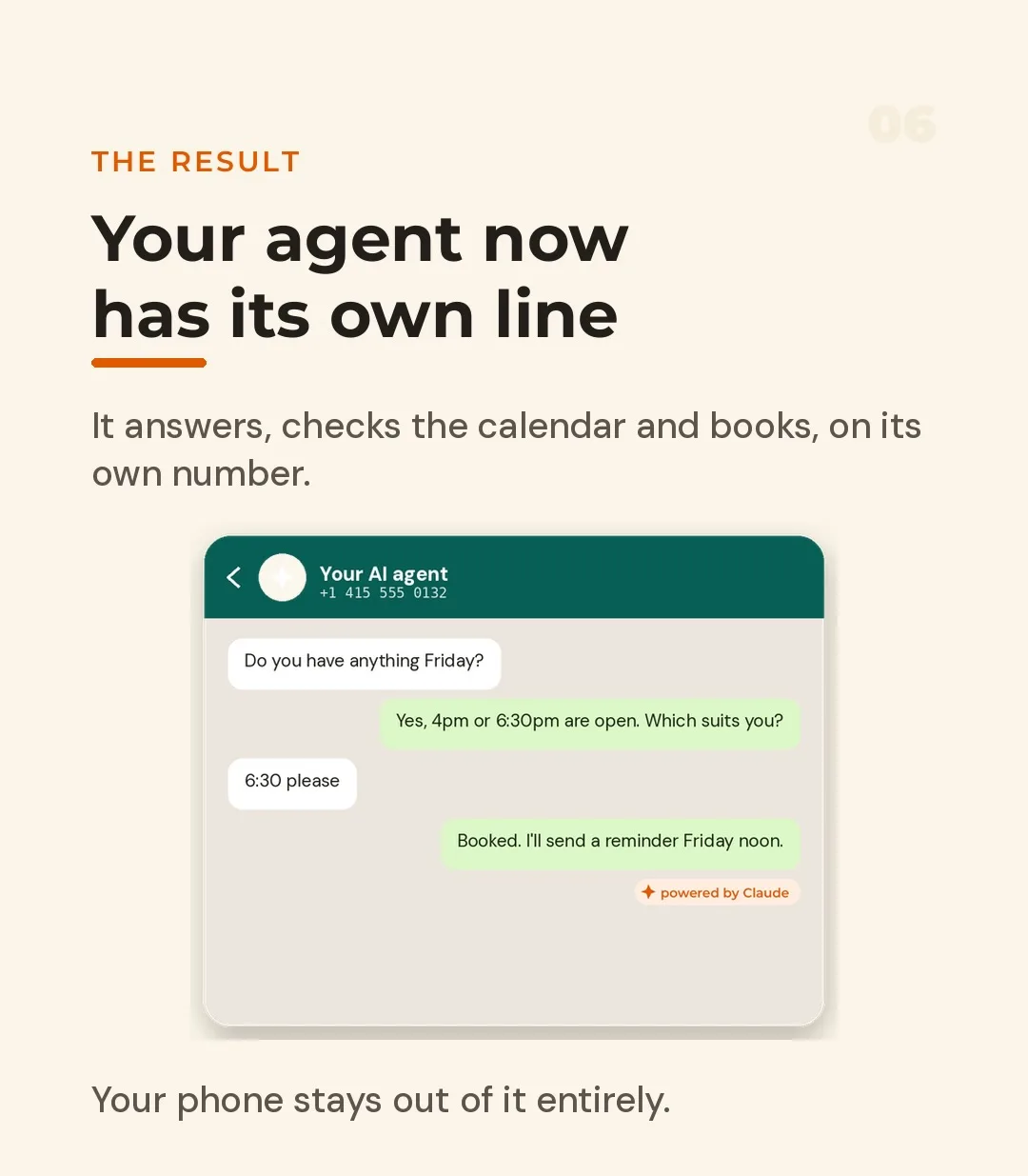
A customer asks about Friday. The agent looks at the calendar, offers the two open slots, the customer picks one, and the booking is confirmed with a reminder scheduled for Friday noon. No human touched it.
How the pieces fit together#
Before the steps, here is the architecture in plain words:
| Piece | What it does |
|---|---|
| WhatsApp Business number | The identity customers see and message |
| WhatsApp Cloud API (via a provider or Meta directly) | Lets software send and receive messages on that number |
| Webhook | A URL on your server that WhatsApp calls whenever a customer writes |
| The agent | Your code plus Claude: reads the message, decides what to do, replies |
| Tools | Calendar lookup, booking, reminders - the things the agent is allowed to do |
Sending is an API call. Receiving is a webhook. Everything interesting happens in between.
Step 1: Pick a number#
The first decision is which number the agent will use. There are three common routes.
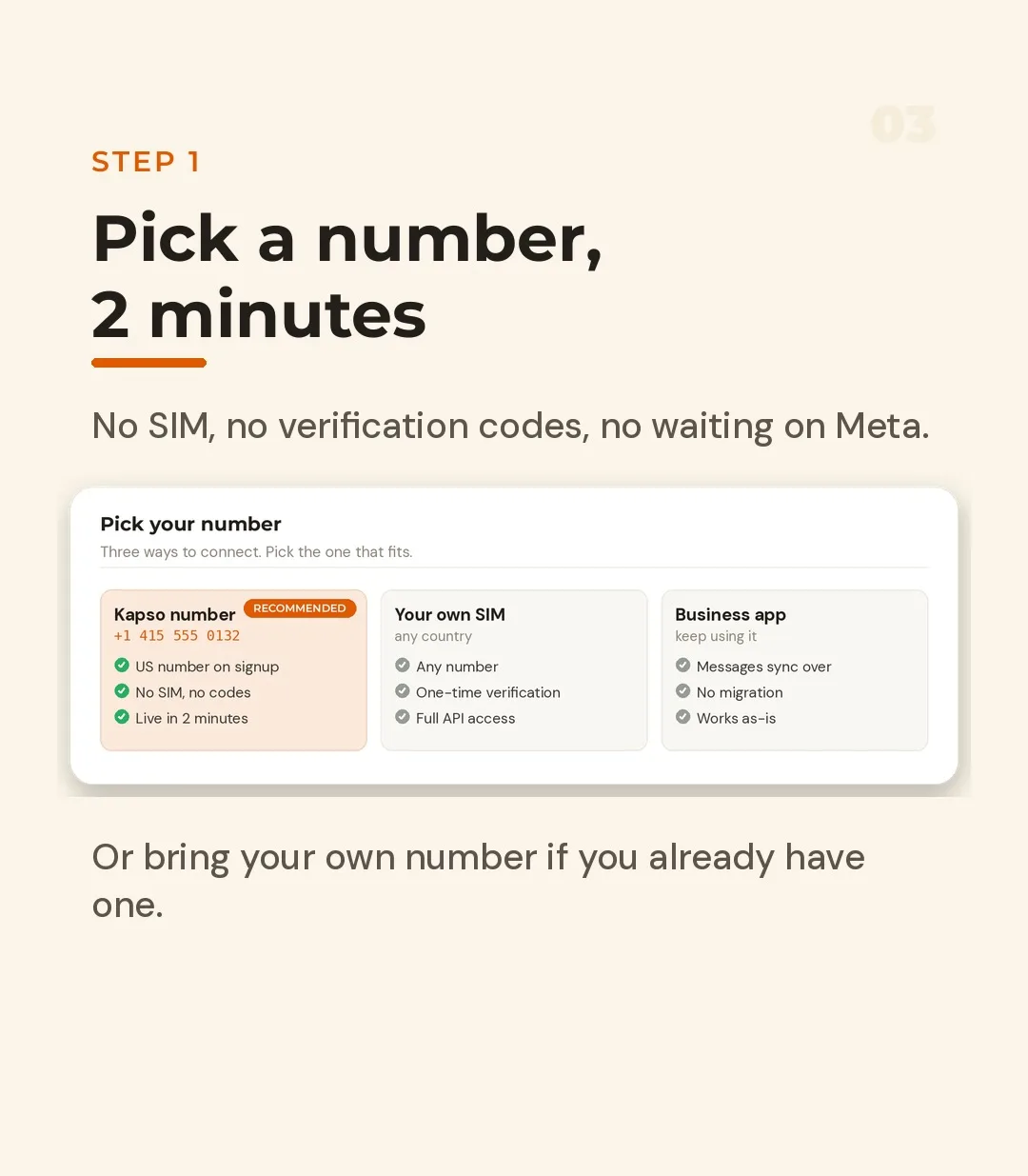
| Option | Good for | Watch out for |
|---|---|---|
| A number issued by your API provider | Fastest start; no SIM and no verification codes | It is a new number customers have never seen |
| Your own SIM, any country | Keeping a number customers already know | One-time verification, and the number is tied to the API from then on |
| An existing WhatsApp Business app number | Keeping your current chats and workflow | Check how your provider handles sync and what features you keep |
If you are experimenting, a provider-issued number is the fastest route, because you skip the SIM and the waiting. If you already have a business number customers know, bringing your own keeps continuity.
Step 2: Hand the documentation to Claude#
This is the step that used to take days. Instead of reading API documentation line by line, you install the provider's agent skills (or point Claude at their docs) and tell Claude what to build.
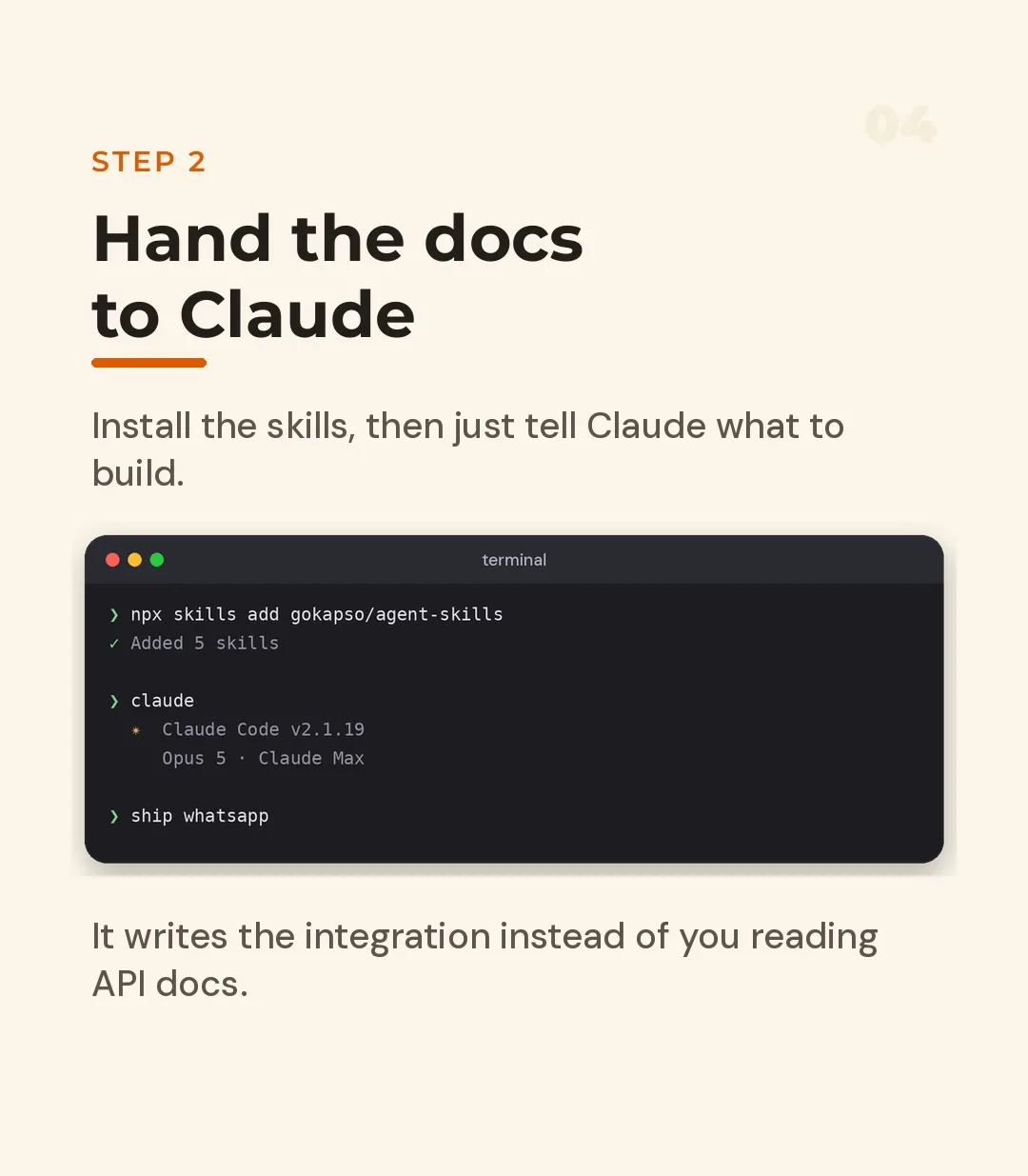
In a terminal, that looks roughly like this:
# Install the provider's skills for your coding agent (command varies by provider)
npx skills add <provider>/agent-skills

# Start Claude Code in your project folder
claude
Then describe the outcome in plain language:
Build a WhatsApp appointment agent for a dental clinic.
- Receive messages through a webhook
- Answer questions about services and opening hours
- Check the calendar for free slots and offer two options
- Book the slot the customer chooses and send a reminder the day before
- If the customer asks for anything medical or about price changes,
  hand over to a human and stop replying
Log every message and every tool call.
Claude reads the documentation, writes the integration and explains what it did. You review the code instead of writing it.
Step 3: Sending and receiving#
Under the hood, the whole integration is small. Sending a message is one authenticated request.
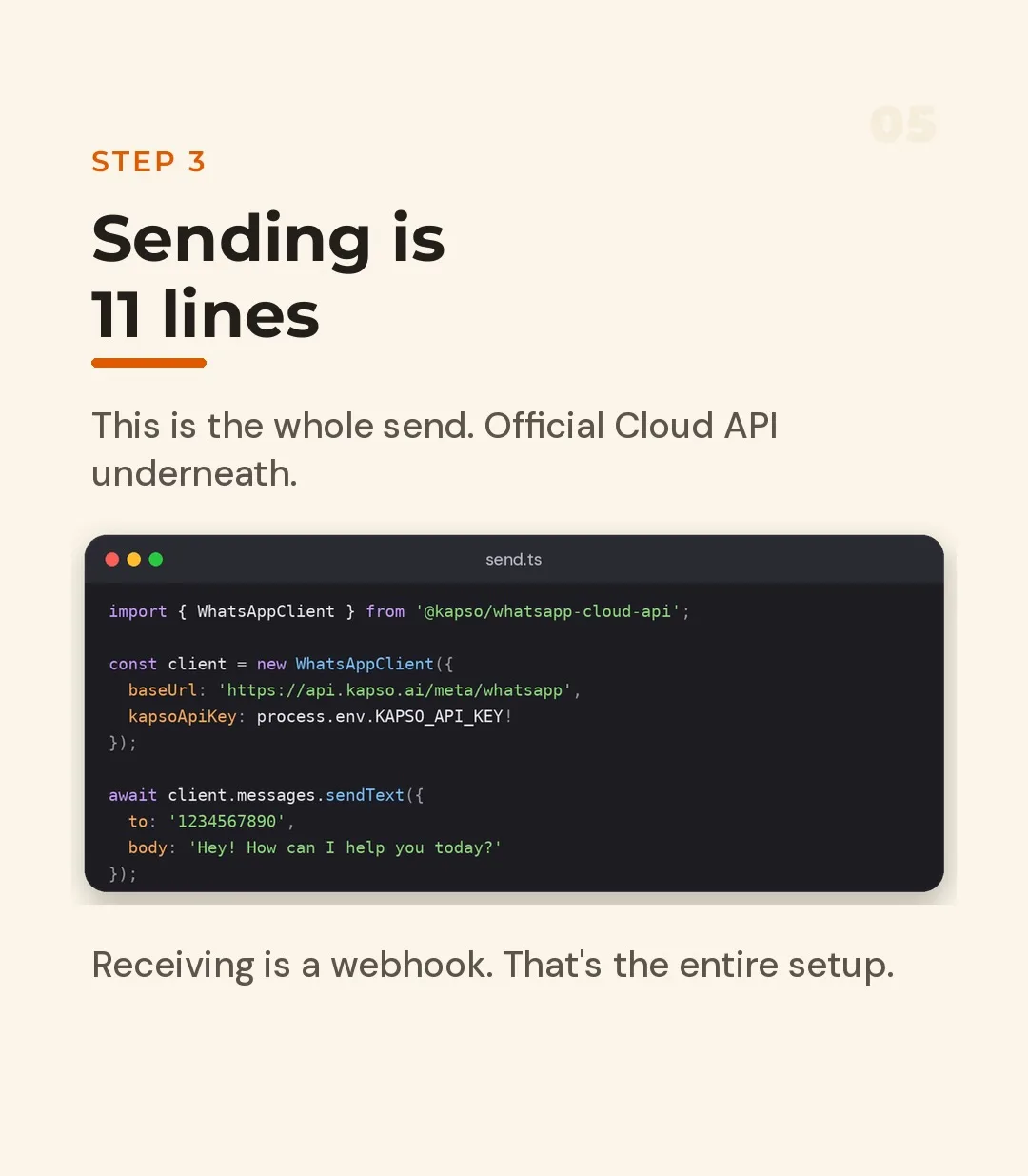
The image shows a provider's client library. The same thing against the official WhatsApp Cloud API, using plain fetch, looks like this:
// send.js - send a text message on the agent's number
const PHONE_NUMBER_ID = process.env.WHATSAPP_PHONE_NUMBER_ID;
const TOKEN = process.env.WHATSAPP_TOKEN;

export async function sendText(to, body) {
  const res = await fetch(
    `https://graph.facebook.com/v21.0/${PHONE_NUMBER_ID}/messages`,
    {
      method: 'POST',
      headers: {
        Authorization: `Bearer ${TOKEN}`,
        'Content-Type': 'application/json',
      },
      body: JSON.stringify({
        messaging_product: 'whatsapp',
        to,                       // customer number, international format, no +
        type: 'text',
        text: { body },
      }),
    },
  );

  if (!res.ok) throw new Error(`WhatsApp send failed: ${res.status}`);
  return res.json();
}
Receiving is a webhook. WhatsApp first verifies your URL with a GET request, then posts every incoming message to it:
// app/api/whatsapp/route.js - a Next.js route handler
export async function GET(req) {
  const p = new URL(req.url).searchParams;
  const ok =
    p.get('hub.mode') === 'subscribe' &&
    p.get('hub.verify_token') === process.env.WHATSAPP_VERIFY_TOKEN;
  return ok ? new Response(p.get('hub.challenge')) : new Response('Forbidden', { status: 403 });
}

export async function POST(req) {
  const payload = await req.json();
  const message = payload.entry?.[0]?.changes?.[0]?.value?.messages?.[0];

  if (message?.type === 'text') {
    // hand message.text.body and message.from to your agent
    // then reply with sendText(message.from, answer)
  }

  // Always answer 200 quickly, or WhatsApp will retry the delivery
  return new Response('ok');
}
Two habits are worth building from day one: verify the signature on incoming webhook requests in production, and return 200 fast and do the slow work (the model call) afterwards.
Bonus: forms inside WhatsApp#
Plain text chat is enough for simple questions, but booking a slot by typing back and forth is clumsy. WhatsApp Flows let you put a small form inside the conversation.
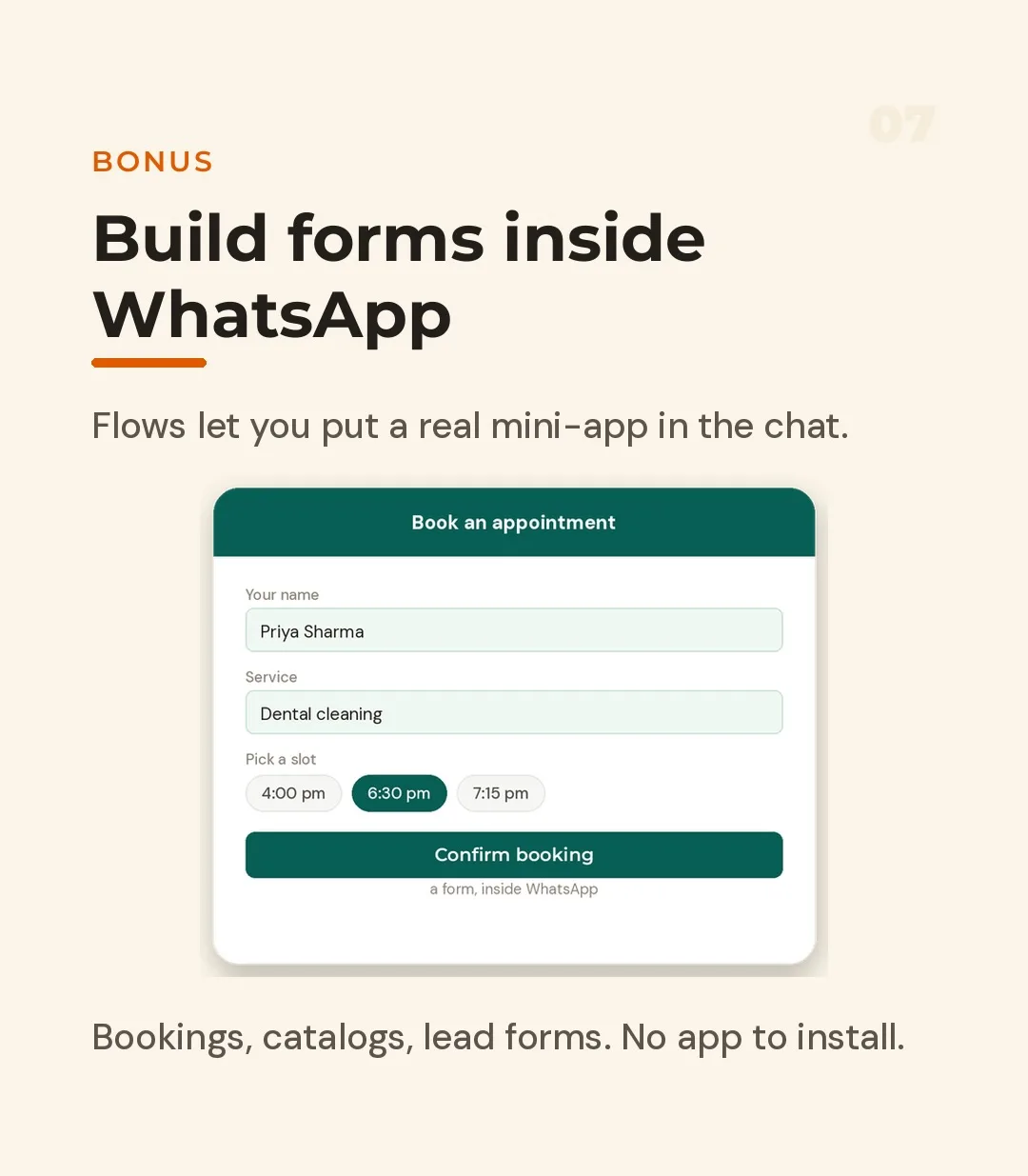
The customer taps, picks a service and a time slot, and confirms. Bookings, catalogues and lead capture forms all work this way, and the customer never leaves the chat or installs anything. It also reduces the chance of the agent misreading free-text like "sometime after lunch".
For builders: see everything#
Most WhatsApp setups go wrong at debugging, because a failed webhook is invisible by default. Insist on two things: a sandbox or test number so you can experiment without real customers, and logs for every request.
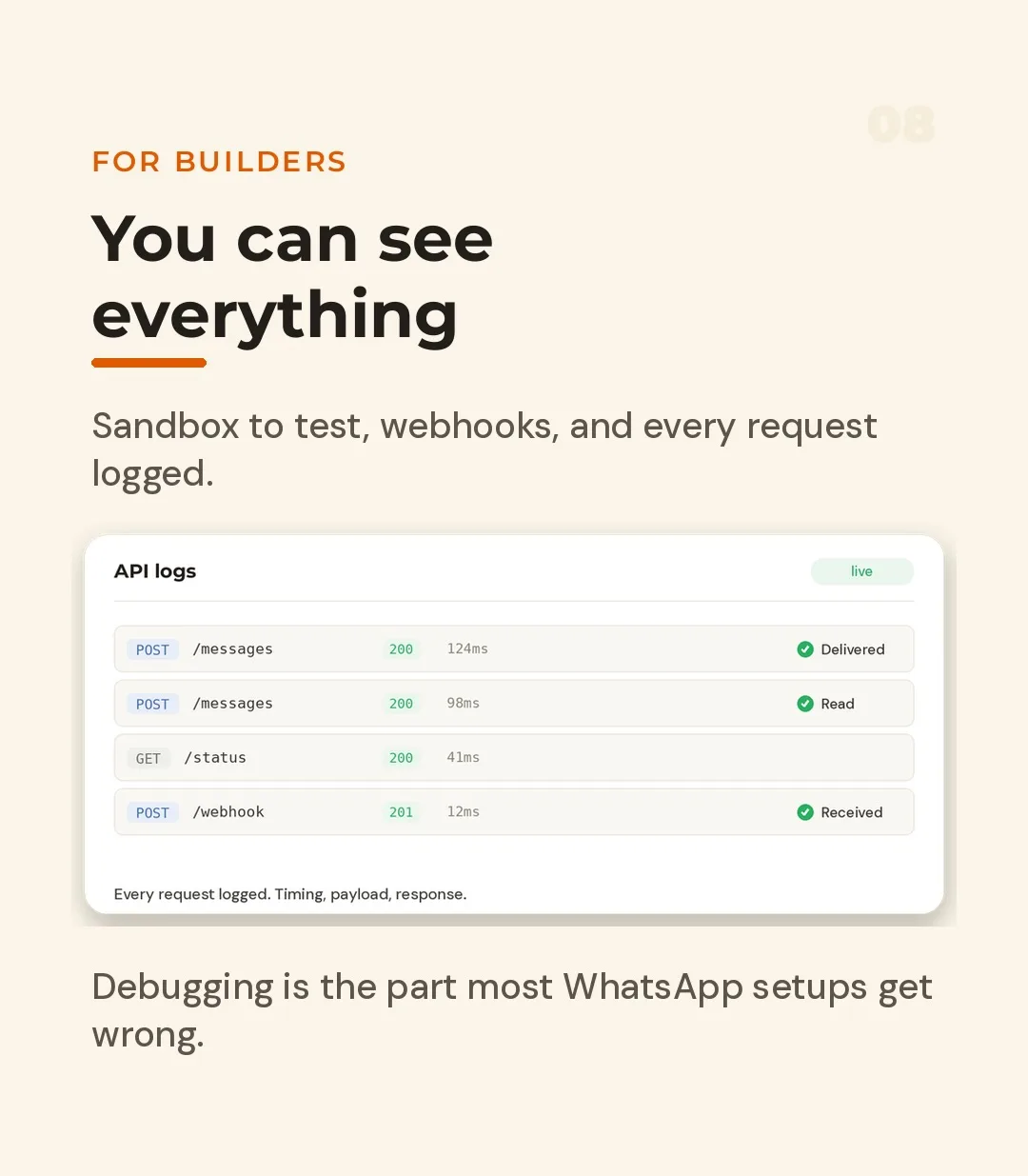
You want to be able to answer, for any conversation: what did the customer send, what did the agent decide, which tool did it call, what came back, and was the reply delivered and read? If you cannot answer those, you cannot fix problems and you cannot trust the agent.
The rules that keep you out of trouble#
The technical part is the easy part. These are the parts that cause real problems:
- Opt-in matters. Only message people who have contacted you or agreed to hear from you. Unsolicited bulk messaging gets numbers blocked.
- The service window. You can reply freely for a limited period after a customer's last message. Outside it, you need an approved message template. Check the current rules before you design reminders.
- Be upfront that it is automated. Customers respond better to an honest "I am the clinic's booking assistant" than to a fake human. In some places disclosure is also expected.
- Limit the tools. The agent should only be able to read the calendar and create bookings, not delete them, issue refunds or edit prices.
- Protect personal data. You are storing names, numbers and appointment details. Decide how long you keep logs, and do not send more personal data to the model than it needs.
- Always offer a human. "Type HUMAN to talk to a person" should work at any point.
A sensible way to start#
Do not launch to every customer at once. A safe rollout looks like this:
- Test number and sandbox. Message it yourself until it behaves.
- Staff and friends. Ask five people to try to break it, including saying odd things.
- Small live slice. Put the number on one channel, such as your website button or an Instagram bio, for a week.
- Read the logs daily. Fix the conversations that went wrong before expanding.
- Then scale to more channels, more tasks and Flows.
Is it worth it?#
The appeal is simple: one number, one afternoon to set up a first version, and an assistant that answers at 2 am without anyone being woken up. Many providers include a modest free tier of messages, which is usually enough to prove the idea before spending anything - check the current allowance with whichever provider you choose.
If your customers already talk to you on WhatsApp and most enquiries are "are you open", "how much" and "can I come on Friday", a booking agent is one of the highest-return automations a small business can build.
Want an agent like this built and connected to your own calendar and workflow, with sensible limits and a human hand-off? Share a short brief through the project form on this site and we can scope it together.
- claude
- claude-code
- ai-agents
- automation
- appointment-booking
- whatsapp-api
Common questions
Can an AI agent really have its own WhatsApp number?
Yes. WhatsApp offers an official Business Platform (the Cloud API) that lets software send and receive messages on a dedicated business number. The agent is your code plus a language model behind that number, not a personal account being automated.
Do I need to give the agent my personal number?
No, and you should not. Use a separate number for the agent. You can get a new number from a provider, register a SIM you already own, or connect an existing WhatsApp Business app number. Keeping it separate means your personal chats never touch the automation.
Is it allowed? Will WhatsApp ban me?
Using the official API with a verified business is the supported route. Bans typically come from unofficial tools that automate a regular account, spamming people who have not opted in, or ignoring template and opt-in rules. Read the current WhatsApp Business messaging policy before you launch.
Can the agent message customers first?
Only within rules. Customers can message you freely and you can reply freely for a limited window after their last message. Starting a conversation outside that window requires a pre-approved message template and a customer who has opted in. Provider and Meta pricing for template categories change, so check current rates.
Do I need to be a developer?
Less than you might think. A coding assistant like Claude Code can write most of the integration from the provider's documentation. You still need to be comfortable running a terminal, setting environment variables and deploying a small web endpoint.
What does it cost?
It varies by provider and by country, and pricing changes. Some providers include a free monthly message allowance so you can prove the idea before paying. Always check the current pricing for both your provider and WhatsApp's own per-conversation or per-message fees.
Is an AI agent safe to put in front of customers?
It is safe only if you constrain it. Give it a narrow job, limit what tools it can call, log every conversation, and provide an easy way for a customer to reach a human. Never let it promise prices, refunds or medical advice you have not approved.
Share this
Instagram has no web share link, so this gives you both pieces: copy the caption, save the card, then post it.
Got this problem too?
Automation that takes repetitive work off a team: document pipelines, AI-assisted content, automatic social publishing and scheduled jobs.