In short
Business owners hire 'a web designer' and expect a working, searchable, fast website, or hire 'a developer' and expect it to look polished. The two roles overlap but are not the same, and mixing them up leads to gaps nobody owns.
Design decides what the site looks like and how a visitor moves through it; development builds it so it actually works, loads fast and can be managed. A good website needs both, and knowing where one ends and the other begins helps you brief, budget and hire correctly.
"We need a website designed." "We need a website developed." People use both phrases as if they mean the same thing, and then wonder why the project stalls between them.
They are two halves of one job. Understanding the split helps you brief properly, budget sensibly and hire the right person.
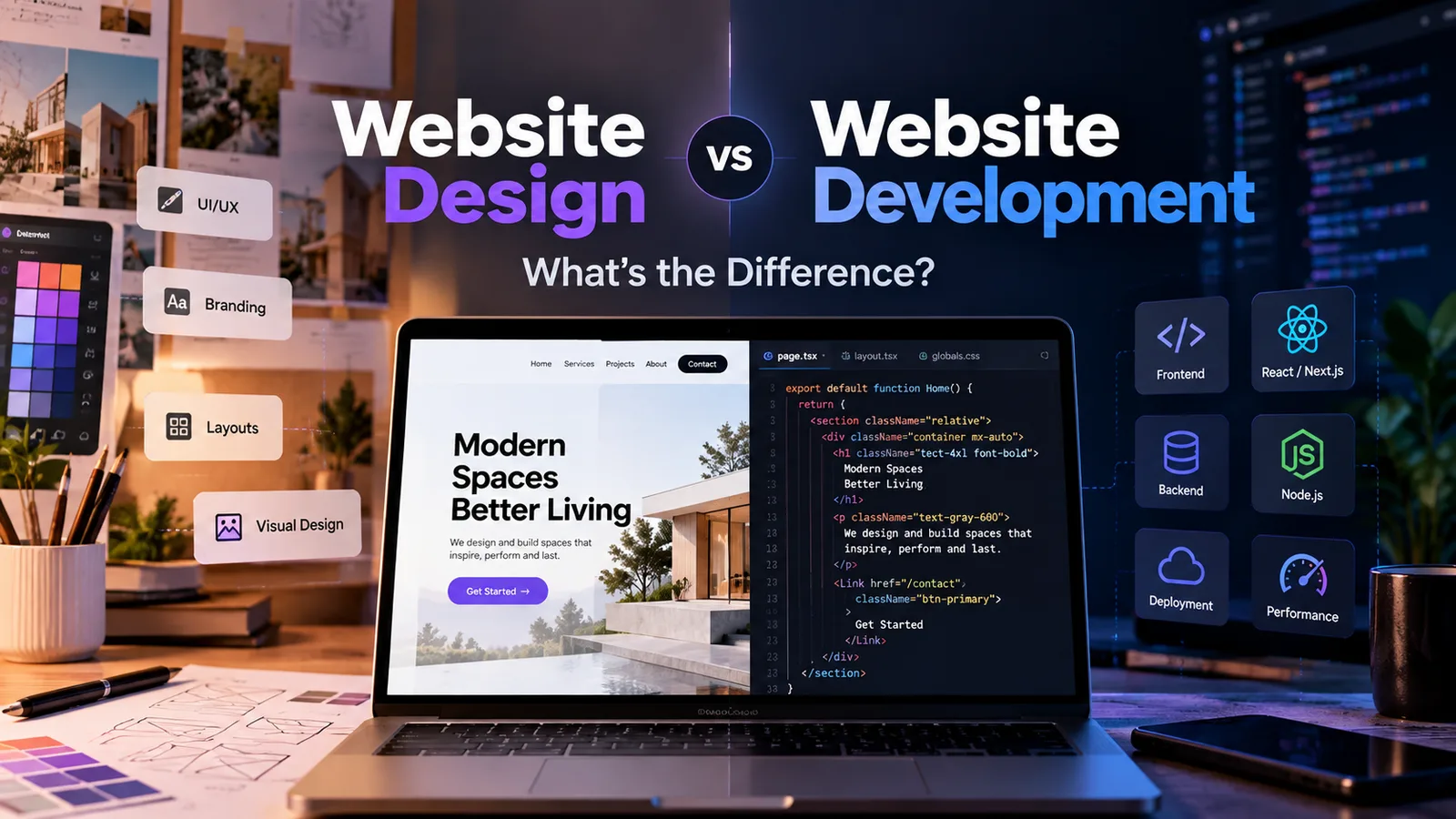
The one-line version#
- Website design decides how the site looks and feels, and how a visitor moves through it.
- Website development builds it so it works.
A useful comparison is a shop. Design is the layout, lighting, signage and the path a customer walks from the door to the counter. Development is the wiring, plumbing, shelving, locks and the till. You can have a beautiful shop that does not work, or a fully functional shop nobody wants to walk into.
What website design covers#
Design is about decisions. Who is the visitor, what do they need, and what should they do next?
- Information architecture - which pages exist and how they connect
- Layout and wireframes - where things sit on each page
- Visual design - colours, typography, imagery, spacing, icons
- UX (user experience) - how easy and logical the site is to use
- UI (user interface) - the buttons, menus and forms a visitor touches
- Mobile design - how every page adapts to a phone screen
- Brand consistency - making the site feel like your business
The output of design is typically a set of mockups or a clickable prototype. It answers "what should this look like and how should it flow?"
What website development covers#
Development turns those mockups into something real that runs in a browser.
- Front-end development - HTML, CSS and JavaScript that build the pages visitors see
- Back-end development - servers, databases, logins, payment handling and business logic
- CMS setup - so you can edit text, images and blog posts without touching code
- Integrations - connecting forms to email or CRM, payments, maps, chat, analytics
- Performance - image optimisation, fast loading, clean code
- Security - HTTPS, protection against common attacks, safe handling of data
- Technical SEO - page structure, metadata, sitemaps, crawlability
- Hosting and deployment - getting the site live and keeping it up
The output of development is a working website. It answers "does it load fast, function correctly and stay secure?"
Side by side#
| Website design | Website development | |
|---|---|---|
| Main question | How should it look and feel? | How does it work? |
| Focus | Visitor experience and brand | Functionality and performance |
| Typical tools | Figma, Adobe XD, Photoshop | Code editors, frameworks, CMS platforms |
| Key output | Mockups, prototypes, style guide | A live, working website |
| Skills | Visual, layout, UX thinking | Programming, systems, problem-solving |
| When it goes wrong | Confusing, dated or off-brand site | Slow, buggy, insecure or uneditable site |
Why the difference matters to your business#
A beautiful site that does not work#
A stunning design that loads in eight seconds, breaks on Android or has a contact form that silently fails will lose leads. Visitors do not admire a site they cannot use.
A working site that nobody trusts#
A fast, functional site with a cluttered layout, stock photos and vague headlines still underperforms. Visitors decide in seconds whether a business looks credible.
Nobody owns the gaps#
If you hire a designer and a developer separately without coordination, things fall through: Who sets up SEO? Who makes sure the design actually works on mobile? Who writes the final copy? Clarify responsibilities up front.
Do you need both?#
| Your situation | What you need |
|---|---|
| Simple site from a template or builder (Wix, Squarespace, WordPress theme) | Light design tweaks and basic setup; one person can handle it |
| Custom-branded business website | Real design and development |
| Online store or booking system | Strong UX design plus serious back-end development |
| Web app, portal or dashboard | Product and UX design plus full-stack development |
| Redesigning an existing slow or dated site | Often both: new design and rebuilt foundations |
Who should you hire?#
There are three common routes:
- Separate specialists. Maximum depth in each area, but more coordination from you.
- An agency or studio. Designers, developers and usually a project manager under one roof. Higher cost, less hand-holding needed from you.
- A full-service freelancer or small studio. One accountable person or small team who does design and development together. Often the best balance of cost, speed and clear ownership for small businesses.
Whichever you choose, ask who is responsible for design, for development, for SEO setup and for ongoing updates. Vague answers are the warning sign.
How to brief it properly#
Good outcomes start with a clear brief. Before you contact anyone, write down:
- What your business does and who your ideal customer is
- The one or two actions you want visitors to take
- Three websites you like, and what you like about them
- What must work on day one (forms, payments, bookings, blog)
- Who will supply the copy and images
Design and development are two different skills in service of one goal: a website that looks credible and actually brings you business. Get both right, in the right order, and the rest becomes much easier.
If you are planning a new site and want to talk it through, use the project form on this site to share a short brief and get an indicative scope and ballpark.
- web-design
- web-development
- small-business
- ux
- basics
Common questions
What is the difference between web design and web development?
Web design covers the look, layout, colours, typography and user experience of a site. Web development is the coding and engineering that turns the design into a working website: making pages load, forms submit, content editable and the site secure and fast.
Do I need a designer and a developer?
For a custom site, you need both skill sets. Some freelancers and agencies cover both under one roof, which keeps things simple. For a template-based site, a developer or builder can often do the whole job, with limited design customisation.
Which should I pay for first?
Design first, in the sense of deciding structure and layout before any code is written. Building without a plan usually means paying to rebuild. In practice the two overlap, with developers flagging what is feasible while the design is still being shaped.
Is WordPress design or development?
Both. Choosing a theme and arranging pages is design work; installing plugins, customising functionality, handling performance and security is development. Many WordPress projects blur the two, which is fine as long as someone is responsible for each.
What is front-end vs back-end development?
Front-end is everything a visitor sees and interacts with in the browser. Back-end is the behind-the-scenes part: servers, databases, logins, payments and the logic that stores and retrieves information.
Share this
Instagram has no web share link, so this gives you both pieces: copy the caption, save the card, then post it.
Got this problem too?
Websites, web apps and SaaS products in React and Next.js, with the backend, payments and integrations they need to actually run a business.