In short
Most viewers decide within moments whether to keep watching a short video, so a weak opening wastes the whole edit.
Strong hooks, tight pacing, clear captions, good sound and vertical framing keep viewers watching.
To hold attention in short videos, open with a hook, cut tight, add clear captions and make sure the sound is clean. These ten tips apply to most Reels.
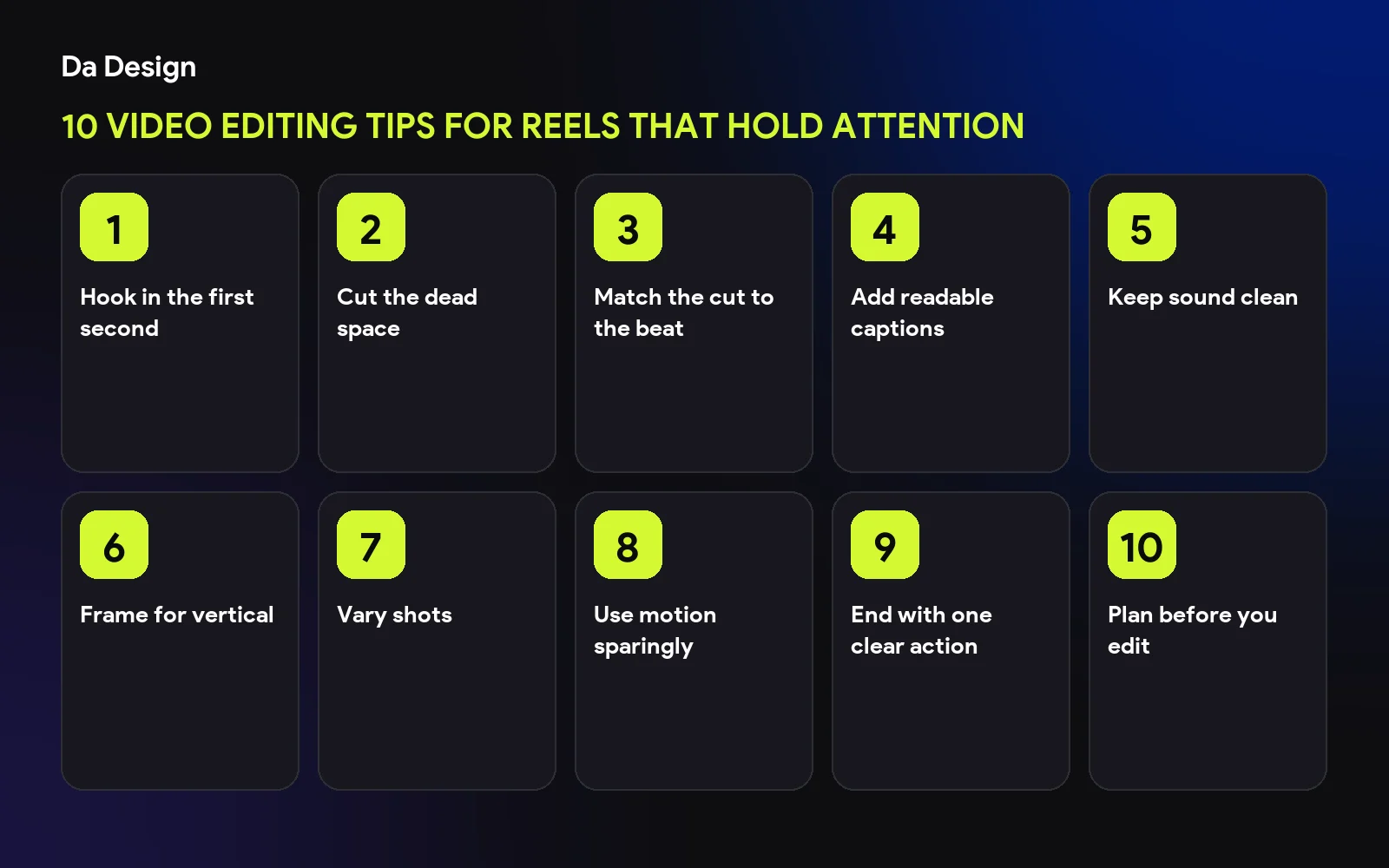
Hook in the first second#
Start with the most interesting moment or a clear promise, not a logo or intro.
Cut the dead space#
Remove pauses, filler and repeated beats.
Match the cut to the beat#
Cutting on music beats or action makes edits feel smooth.
Add readable captions#
Large, high-contrast text, placed clear of app buttons.
Keep sound clean#
Bad audio makes viewers leave faster than imperfect video.
Frame for vertical#
Compose for a 9:16 screen and keep key elements in the safe area.
Vary shots#
Change angle or distance regularly to keep visual interest.
Use motion sparingly#
Zooms and transitions should support the story, not distract.
End with one clear action#
Tell viewers one thing to do: follow, save or visit.
Plan before you edit#
A storyboard saves time. See how we went from storyboard to edit for a teaser video.
save this checklist
- Hook in the first second
- Dead air removed
- Captions added
- Audio checked
- One clear call to action
Need an editor?#
See our video editing services.
- video-editing
- reels
- short-form-video
- social-media
Common questions
How long should a Reel be?
As long as the idea needs and no longer. Cut anything that does not move the video forward.
Do I need captions?
Many people watch without sound, so captions help both reach and understanding.
What software should I use?
Use whatever you can edit quickly. The technique matters more than the tool.
Share this
One click opens LinkedIn with a ready-written post: a hook, the short version of this guide and the link. The caption is also copied, so you can paste it if it does not appear.
Instagram has no web share link, so this gives you both pieces: copy the caption, save the card, then post it.
Keep reading
Got this problem too?
Reels, podcasts and brand films, cut for pacing, colour and sound.