In short
Small businesses want product and store videos but cannot afford a drone, a crew and a creator. AI video tools such as Google Flow can make those shots, but results depend on the prompt and credits run out quickly.
Use four reusable prompt styles: a VFX assembly breakdown for the product, a city FPV to the storefront, a walk-in push-through and a UGC creator clip. Plan the shots before generating, draft cheaply, spend credits only on the keepers, and be honest that the footage is AI-made.
Google Flow can make four kinds of shots that normally need a crew: a product breakdown, a drone flight to a storefront, a smooth walk-in, and a creator-style product video. I have used it for exactly these, and the prompt style matters more than the tool. This post shows the four prompts I use, what each gives you, and the catch: credits run out fast.
What Flow is, in one line#
Google Flow is Google's AI filmmaking tool, built on its Veo video models. You describe a shot, or start from an image, and it makes a short clip. You then arrange clips into a sequence. If you want the general idea of using AI to make video, my storyboard-to-edit write-up with the beaver mascot shows the same planning mindset on a longer project.
The four prompts I use#
1. /vfx architectural assembly: the whole product, broken down#
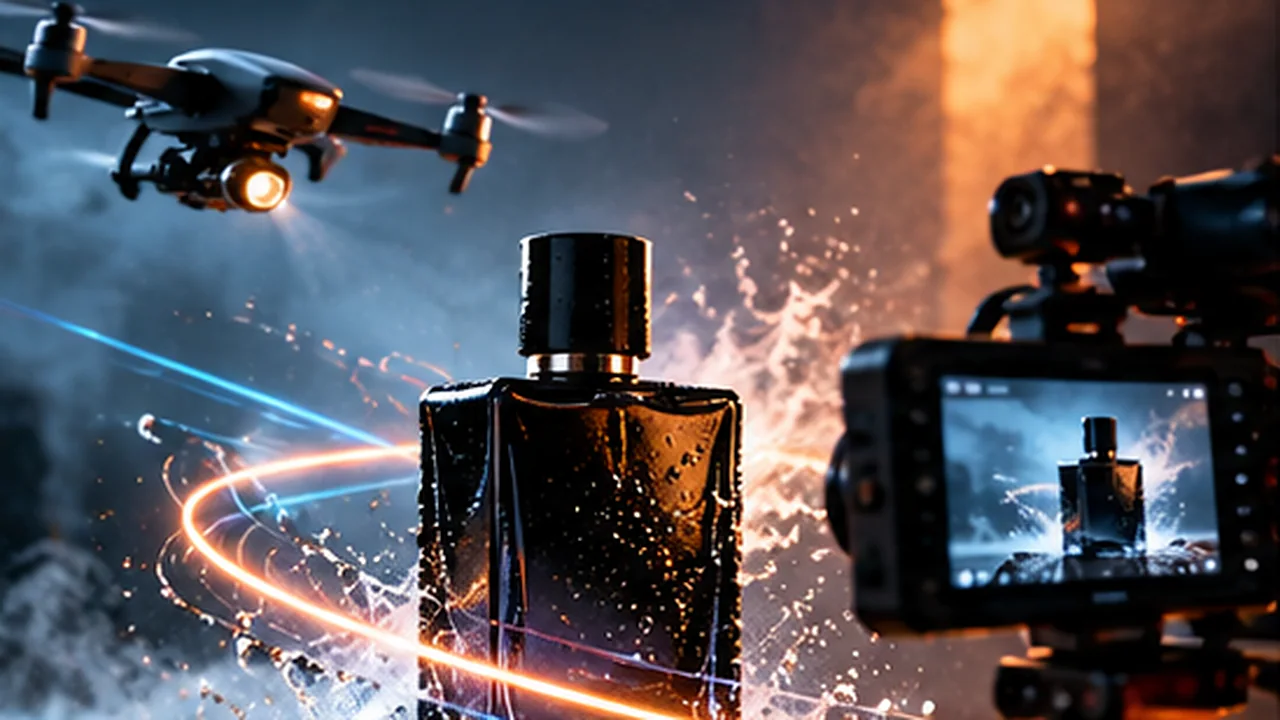
This one takes a product and shows it coming apart or being assembled, part by part, like a VFX breakdown. It is the shot that makes people understand what is inside the thing.
Good for: gadgets, furniture, cosmetics, packaging, anything with layers or parts.
2. /city fpv to storefront: a drone shot that ends at the shop#
This gives you an FPV drone-style flight through a city that finishes at the storefront. It is the shot that normally needs a drone, a permit and a pilot.
Good for: opening a local-business ad, a launch announcement, a "find us here" reel.
3. /walk in push through: a smooth walk into the store#
This produces a steady, gliding walk-in through the entrance and into the space. It works well as the natural follow-up to the drone shot: the flight ends at the door, and this one carries on inside.
Good for: showrooms, cafes, salons, retail shops.
4. /ugc: a creator holding your product#
This makes a UGC-style clip: a content creator presenting your product to camera, in the casual style that social feeds are full of.
Good for: product ads, social proof style content, testing a hook before paying a real creator.
Put them together#
The first three chain into one story, which is why I like them as a set:
/vfx architectural assembly: show the product/city fpv to storefront: fly to where it is sold/walk in push through: step inside/ugc: a person tells you why it is good
Then cut them together in a normal editor, add your music, text and colour. The AI makes the shots; the edit makes the story. If you want that edit done for you, see hire a video editor.
The catch: credits run out#
Every clip costs credits, and a higher-quality model costs more per clip than a faster one. The real drain is re-generating the same shot four times to get it right.
What helped me:
- Write the shot list first. One line per shot, before you open Flow. Prompting without a plan is how credits vanish.
- Draft cheaply, finish once. Test an idea on the faster or cheaper option, and spend quality credits only on shots you already like.
- Keep a prompt log. When a prompt works, save it word for word.
- Use a real reference where you can. Starting from a real photo of the product or store makes the result closer to the real thing and cuts wasted tries.
Getting more credits#
Credits come with Google's AI plans, and the amounts and eligibility change. In India, Jio has been offering an 18-month Google AI Pro offer, and the student version of it is reported to come with around 1,200 video credits. That is far more room to experiment than a free allowance.
Be honest about what it is#
AI footage is a tool, not a way to mislead customers.
- Do not show a product or store that does not exist as shown. If the real shop looks different, the video sets a false expectation.
- Check the commercial-use terms of your plan before using clips in client work.
- Label AI-generated content where a platform or local rule asks for it. Google marks Veo videos with an invisible SynthID watermark, but that is not a substitute for telling people.
Where AI video fits, and where it does not#
It fits concepts, ads, teasers and shots you could not afford to film. It does not replace real footage of real people and real results, which is what builds trust. The strongest videos mix both.
For the other end of the workflow, see how an AI can write the edit timeline for you. And if you want product or store videos made and edited, with the AI shots and real footage combined, start from the video editing service page.
- video-editing
- generative-ai
- google-flow
Common questions
What is Google Flow?
Google Flow is Google's AI filmmaking tool, built around its Veo video models. You describe a shot in text, or start from an image, and it generates a short video clip you can arrange into a sequence.
Are /vfx, /ugc and /fpv official Flow commands?
I use them as prompt shortcuts. Guides online describe slash-style terms as prompt shorthand rather than documented built-in commands, and results vary by model and settings. Treat them as templates you test, not guaranteed buttons.
Why do Flow credits run out so fast?
Every generation costs credits, and a higher-quality model costs more per clip. Re-generating the same shot several times to get it right is where most credits go. Planning the shot first and drafting on a cheaper option saves the most.
Is Google Flow free?
Flow has had a limited free allowance and paid plans with monthly credits, and the terms change. Check Google's current plans page and your own account rather than a third-party summary.
Can I use AI-generated video for a real business?
Yes, but be honest. Do not show a product or store that does not match the real one, check the usage terms for commercial use, and label AI-generated content where a platform or law requires it. Google marks Veo videos with an invisible SynthID watermark.
Share this
One click opens LinkedIn with a ready-written post: a hook, the short version of this guide and the link. The caption is also copied, so you can paste it if it does not appear.
Instagram has no web share link, so this gives you both pieces: copy the caption, save the card, then post it.
Keep reading
How I Made a Retreat Teaser Video With Our Beaver Mascot (Storyboard, Frames and Edit)
Part 2 of the mascot story: how I storyboarded a retreat teaser frame by frame, generated each shot with AI video tools and cut it into a finished video.
Edit Outside the Editor: Why a Timeline Is Just a File an AI Can Write
A timeline is a list of decisions, so an AI can write it to disk and you only review the result. How the EDL workflow works, what it needs, and its limits.
10 Video Editing Tips for Reels That Hold Attention
Ten practical video editing tips for Instagram Reels and short videos: strong hooks, pacing, captions, sound and framing.
Got this problem too?
Reels, podcasts and brand films, cut for pacing, colour and sound.