In short
Small teams spend hours on repetitive work like replying to the same questions, chasing leads and compiling reports.
AI can handle first drafts and routine steps in enquiries, follow-ups, scheduling, reporting and content, while a person reviews anything important.
Small businesses can safely automate first-draft replies, lead follow-up, scheduling, reporting and content with AI today, as long as a person reviews what matters. Start with the task you repeat most.
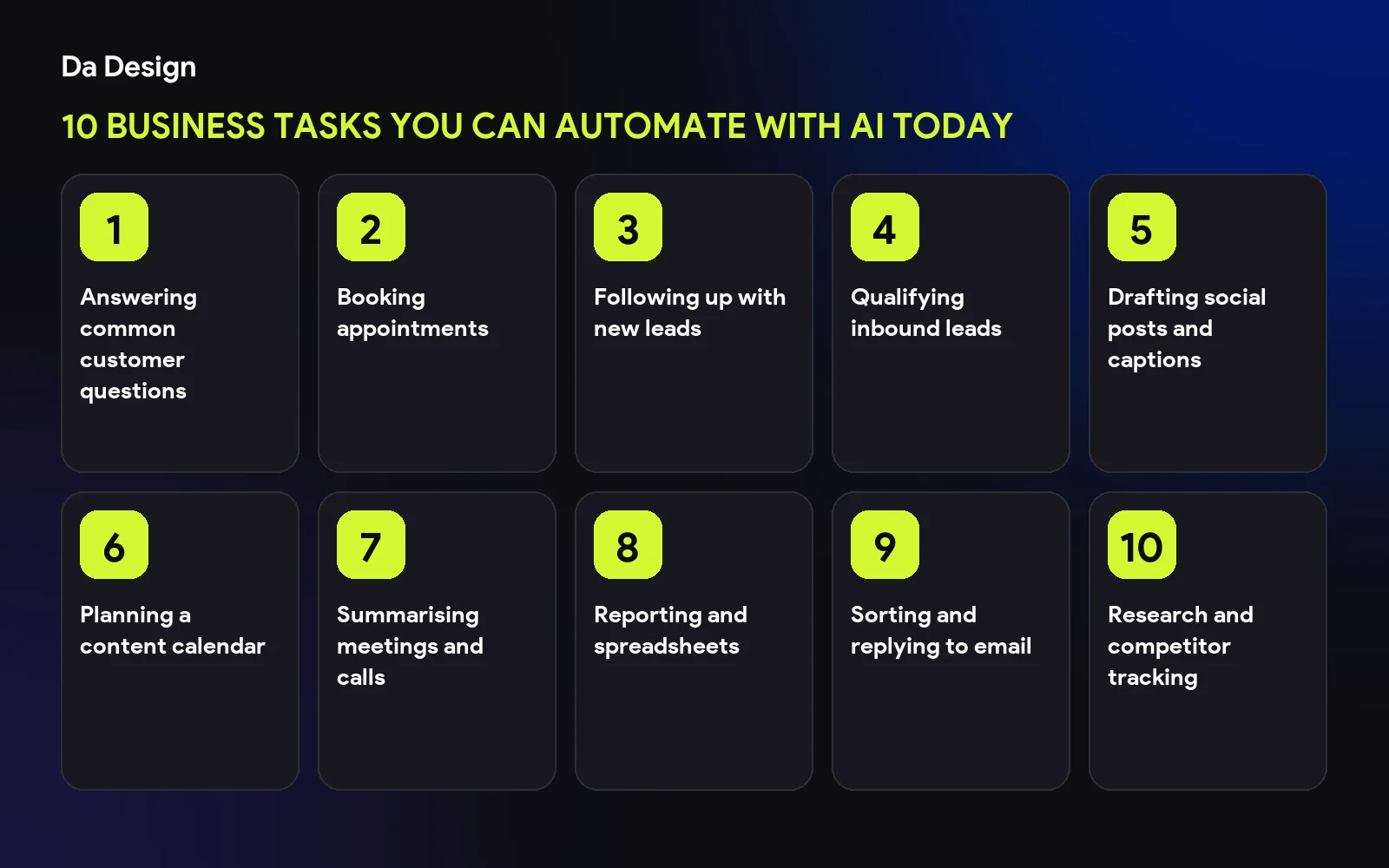
Answering common customer questions#
An assistant trained on your FAQs can handle routine questions. See how we built a company-knowledge chatbot.
Booking appointments#
Let customers book via chat. Read how to give Claude a WhatsApp number that books appointments.
Following up with new leads#
Draft and send timely follow-ups so no enquiry goes cold.
Qualifying inbound leads#
Ask a few questions and score fit before a person spends time. We explored this in a sales CRM prospecting agent.
Drafting social posts and captions#
Generate first drafts from your notes, then edit to your voice.
Planning a content calendar#
Connect an assistant to your calendar tool. See Claude with a content calendar.
Summarising meetings and calls#
Turn recordings into notes, decisions and action items.
Reporting and spreadsheets#
Pull numbers into weekly summaries and highlight what changed.
Sorting and replying to email#
Categorise incoming mail, draft routine replies and flag urgent ones.
Research and competitor tracking#
Gather and summarise public information on a schedule.
save this checklist
- Chose one task
- Wrote down the steps
- Kept a human approval step
- Tracked time saved
- Reviewed data privacy
How to start#
Pick one task, run it with review for a few weeks, then expand. If you want help, see our AI automation services.
- ai-automation
- small-business
- productivity
- ai-agents
Common questions
Will AI replace my staff?
It is best used to remove repetitive work so people can focus on judgment and relationships. Keep a human in the loop for anything sensitive.
Is AI automation expensive?
Costs depend on the tools and volume. Start with one small task and measure the time it saves.
Is my data safe?
Choose tools with clear data policies and avoid sending sensitive information you would not share with a vendor.
Share this
One click opens LinkedIn with a ready-written post: a hook, the short version of this guide and the link. The caption is also copied, so you can paste it if it does not appear.
Instagram has no web share link, so this gives you both pieces: copy the caption, save the card, then post it.
Keep reading
How I Automated Trade Show Tracking With a Second MCP Server (Claude Searches, ContentCal Fills the Calendar)
Part 3 of the ContentCal story: how a dedicated MCP server lets Claude research trade shows by region, build the sheet and load it into ContentCal, plus a public page where stakeholders add the shows they attend.
Change Is the Only Constant: Why I Stopped Reinventing the Wheel and Started Building With AI
A personal essay on staying relevant: why the builder's mindset beats doing everything from scratch, why you should give AI a job before it takes yours, and why conflict is a sign you are growing.
Building a Company Brain: A RAG Chatbot That Remembers Every Project
How I am designing CD Brain, a smart RAG chatbot for Concept Dash: company data turned into embeddings, stored in a vector database, new project data saved as memory, and meeting notes and emails turned into live project timelines.
Got this problem too?
Automation that takes repetitive work off a team: document pipelines, AI-assisted content, automatic social publishing and scheduled jobs.